Running a backtest
A run takes the strategy through each instrument's history, bar by bar, and records the trades it makes. This page covers starting a run, what you see while it works, and where the history comes from.
Start a run
- In the left panel of the Backtester, select what you want to run.
- Choose Run below the panel, or right-click and choose Run.
| You select | What runs |
|---|---|
| A list, switch on | The list's strategy on every instrument in the list, one after another, then the results of the list as a whole. |
| A list, switch off | Every instrument that has a strategy of its own, one after another, then the results of the list as a whole. Instruments without a strategy get a cross. |
| One instrument | That instrument only. The others in the list keep their marks. |
The switch is Apply to all instruments; see Setting up a backtest.
Run is greyed out until there is something to run: a strategy on the selected instrument, a strategy and at least one instrument on a list whose switch is on, or a strategy on at least one instrument of a list whose switch is off.
While it runs
The Backtester shows "Calculating..." over the whole window. For a list it counts the instruments, such as "Instrument 2 of 5", and shows "Portfolio" while it works out the results of the list as a whole.
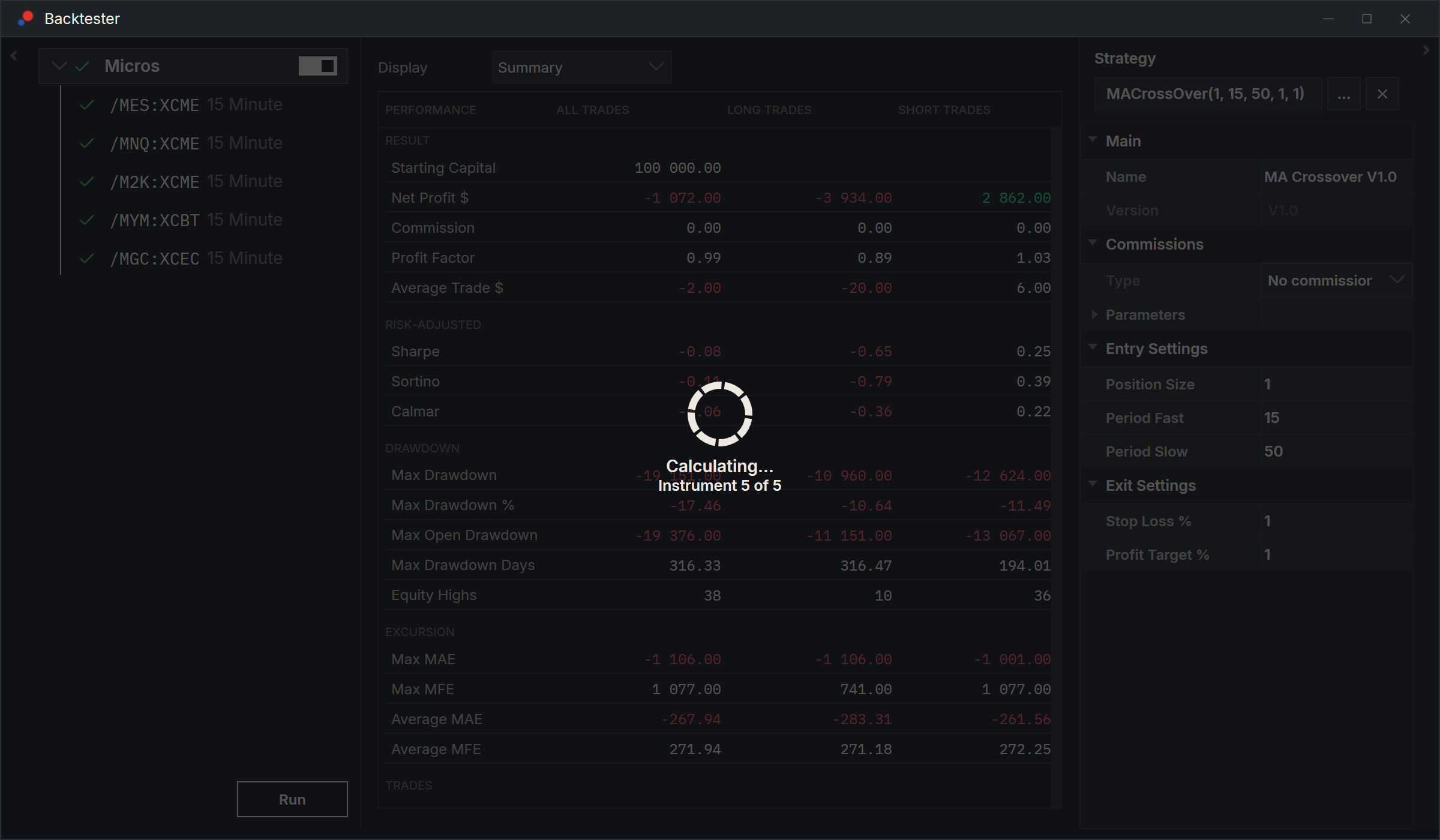
You cannot use the window until the run ends. There is no Stop button: to stop a run, close the Backtester window. The rest of AlgoDesk keeps working, so your charts and other windows stay usable.
When the run ends, each instrument that ran without a problem shows a green check, and the results of the row you selected appear in the middle. See Backtest results.
If the strategy's code fails during the run, AlgoDesk shows a message that starts "Execute strategy script error:" and says what went wrong, for example "Strategy calc exception: Index was outside the bounds of the array." The details go to the Log tab of the Control Center. The instrument keeps its cross. Lines the strategy prints go to the Debug window; see How scripts work.
History
The Backtester loads an instrument's history when you add or edit the instrument, and when you load a Backtester preset or a workspace with a Backtester in it. Run also loads it first for any instrument that has none yet, such as one Claude set up for you. It reads what is already on your computer and downloads the rest from the instrument's connection. While it works, the window shows the progress, such as "Downloading historical data from exchange...". See Historical data.
- A download needs the connection to be connected. While it is off, the Backtester can use only the history already on your computer.
- A run uses the history loaded when you added or last edited the instrument. To bring it up to date, edit the instrument and choose OK.
- Add instruments loads several instruments at once, as many as the connection allows, and counts them, such as "Instrument 3 of 20 (errors: 1)". An instrument whose history fails to load is still added; the reason goes to the Log tab.
The first download of a long history, or of many instruments, can take a while. AlgoDesk keeps the history on your computer, so the next time it loads faster.
Running many instruments
To test one strategy on many markets with the same parameters:
- Make a list and fill it with Add instruments from one of your instrument lists.
- Turn the list's switch on.
- Select the list, choose the strategy and set its parameters.
- Choose Run.
Each instrument runs in turn on its own copy of the strategy. The list's results combine the trades of every instrument, and each instrument keeps results of its own: select it to see them.
To give instruments different parameters, or different strategies, turn the switch off and set each instrument up on its own.
Running a chart's strategy
AlgoDesk has no command that sends a strategy from a chart to the Backtester. Claude can do it: it puts the chart's strategy, with its parameters and commission, on a new list in a Backtester, with the chart's instrument and bar size, and runs it.