Claude and the Backtester
Claude can build a Backtester for you, put a strategy exactly where you say, run it when you tell it to and read the results instrument by instrument. Setting up and running are two separate steps, so you can check the setup first.
For the Backtester itself, see Setting up a backtest.
What Claude asks before it sets up
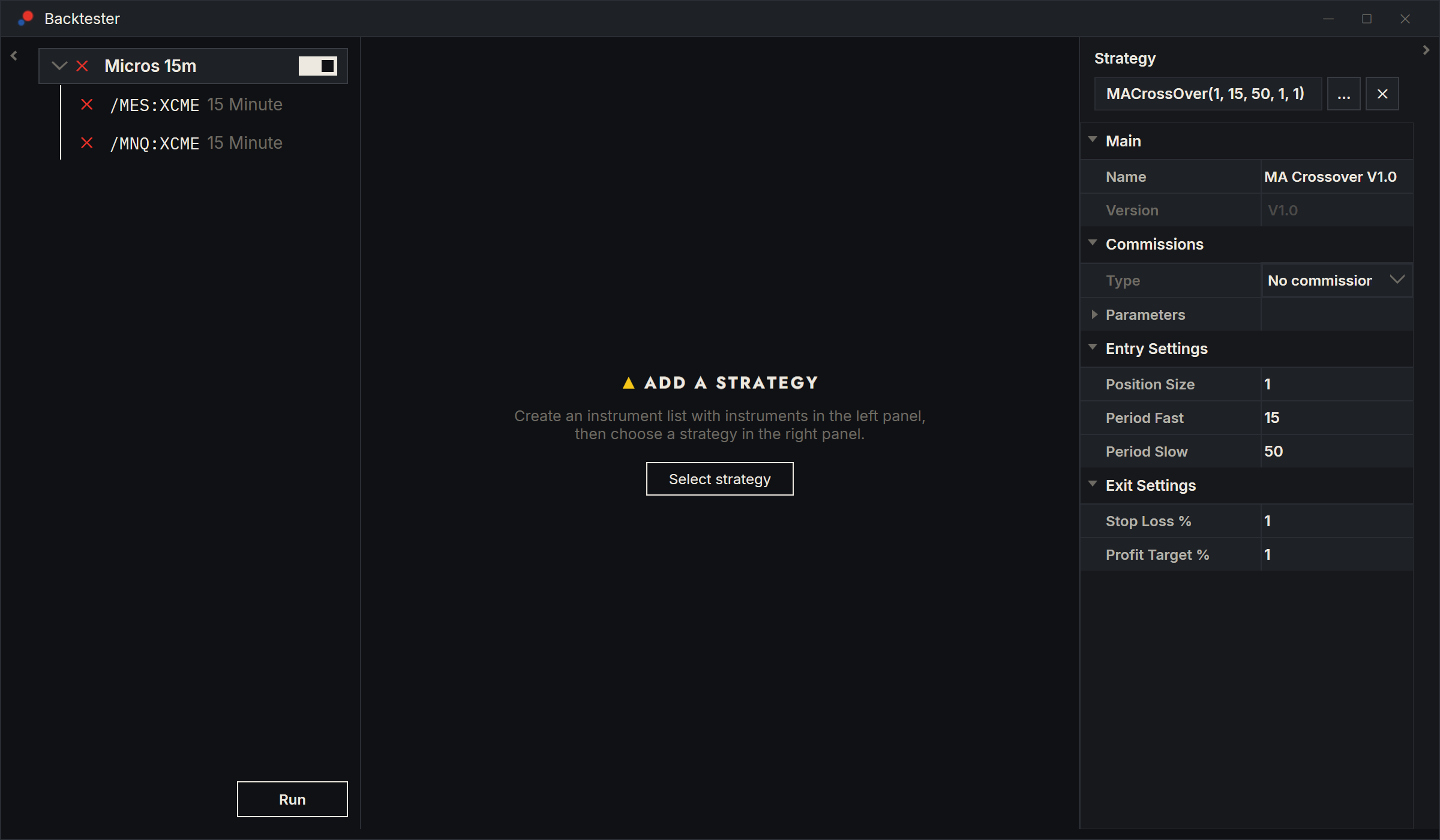
In the Backtester, instruments sit under an instrument list row at the top of the tree. Claude calls that row the root. Before it builds one, Claude needs these things, and asks for any you did not give:
- The instruments. One of your instrument lists, instruments you name, or a saved Backtester preset. Named instruments must already be in AlgoDesk; if one is not, Claude offers to search for it.
- The root's name. Claude never makes one up.
- The bar size and the period. How many days to load, or a start and end date. Claude never guesses either. One root can hold the same instrument at several bar sizes, for example /MGC:XCEC at 5 minutes, 15 minutes and 1 hour, each with its own period if you want.
- The strategy, if any. Claude puts a strategy in only when you named one. If you named one but not where it goes, Claude asks.
- The commission. When a strategy goes in, Claude asks which commission it pays, for example Futures NinjaTrader, unless you said. A new strategy starts with No commission. See Commissions.
A saved Backtester preset brings its own root names and its own strategy placement. Claude can still change the preset's strategy, bar size or period when you ask. A preset does not keep the commission, so Claude asks for it there too.
Where the strategy goes
These are the answers Claude offers when it asks where the strategy goes.
| Your answer | What Claude sets up | What a run of the root does |
|---|---|---|
| On the root, Apply to all instruments on | The strategy on the root row, the switch on. | Every instrument runs the root's strategy, with the root's parameters. |
| On the root, Apply to all instruments off | The strategy on the root row, the switch off. | Each instrument runs only a strategy of its own. Turning the switch on later makes them all run the root's. |
| On every instrument | A separate copy on each instrument, the switch off. | Each instrument runs its own copy, so you can give one instrument different parameters. |
| On chosen instruments | A copy only on the instruments you name, the switch off. | Those instruments run; the others are skipped. |
Claude puts the root into a new Backtester window or into one that is already open. Setting up runs nothing and loads no data.
Changing the setup
Later, Claude can put a strategy on a row, replace it or take it off, turn Apply to all instruments on or off, change a strategy's parameters wherever it sits, and change its commission without replacing it. A strategy Claude puts in place of another keeps the old one's commission unless you name another. When Claude puts a strategy on a row that had none, it asks which commission it pays, unless you said. It cannot add instruments to a root or rename it after setup.
When Claude changes the parameters of the root's strategy, the new values wait for the next run. When it changes the parameters of an instrument's own strategy, that instrument runs again straight away with the new values, unless Apply to all instruments is on for its root; then the change waits for the next run too.
A changed commission waits for the next run. While Apply to all instruments is on, every instrument pays the root's commission, so Claude sets the commission on the root. Before a run, Claude can show you the commission each instrument will run with.
AlgoDesk does not let Claude put on, replace or take off a strategy while that Backtester is running.
Running
Claude runs a Backtester only when you say run. Before it runs, it checks what each instrument will run.
| What Claude runs | What happens |
|---|---|
| A root | The same as the Backtester's Run on that root: the portfolio result, plus each instrument's own. |
| One instrument | That instrument alone, with its own strategy, or the root's when Apply to all instruments is on. |
| The whole window | Every root, one after another. |
If nothing would run, for example a root with Apply to all instruments on and no strategy of its own, AlgoDesk refuses before anything starts. Claude tells you what is missing and asks you. It never puts a strategy in on its own to make a run possible.
If an instrument's history is not loaded yet, the run loads it first. If it cannot be loaded, the root is not run (or the instrument, when Claude runs one alone), and Claude tells you which instrument failed. You can ask Claude to cancel a run it started.
Sending a chart's strategy to the Backtester
Ask Claude to test the strategy on a chart in the Backtester. Claude sends it, with its current parameters, to the most recently opened Backtester window, or to a new one if none is open, and runs it at once. It uses the dates the chart has loaded unless you give others.
Reading the results
Claude reads results one instrument at a time:
- the headline: net profit, trades, profit factor, maximum drawdown %, win % and maximum open drawdown;
- the full performance table, for all trades, long and short;
- the trades, with entry and exit times and prices, profit, commission, MAE and MFE;
- the orders the strategy placed and what it printed;
- the bars around a trade, when you ask about particular bars or trades.
A root's combined result comes back with a run Claude started. For a root you ran yourself, Claude reads its instruments one by one. See Backtest results.