Working alongside Claude
Claude works in the same windows you do. It can prepare a window for you to run, read a run you started, or pick up a window you set up. This page explains how you share windows and who may do what.
Everything happens on your screen
The charts, Backtesters and Optimizers Claude opens are ordinary windows. You see them open, you can click in them, and they are part of your workspace like any other window. When Claude runs an optimisation, the window fills just as it does when you press Run.
Claude sees what you have open, too: your charts with their strategies and parameters, your Backtesters with their rows, and your Optimizers with their state and whether you or Claude opened them.
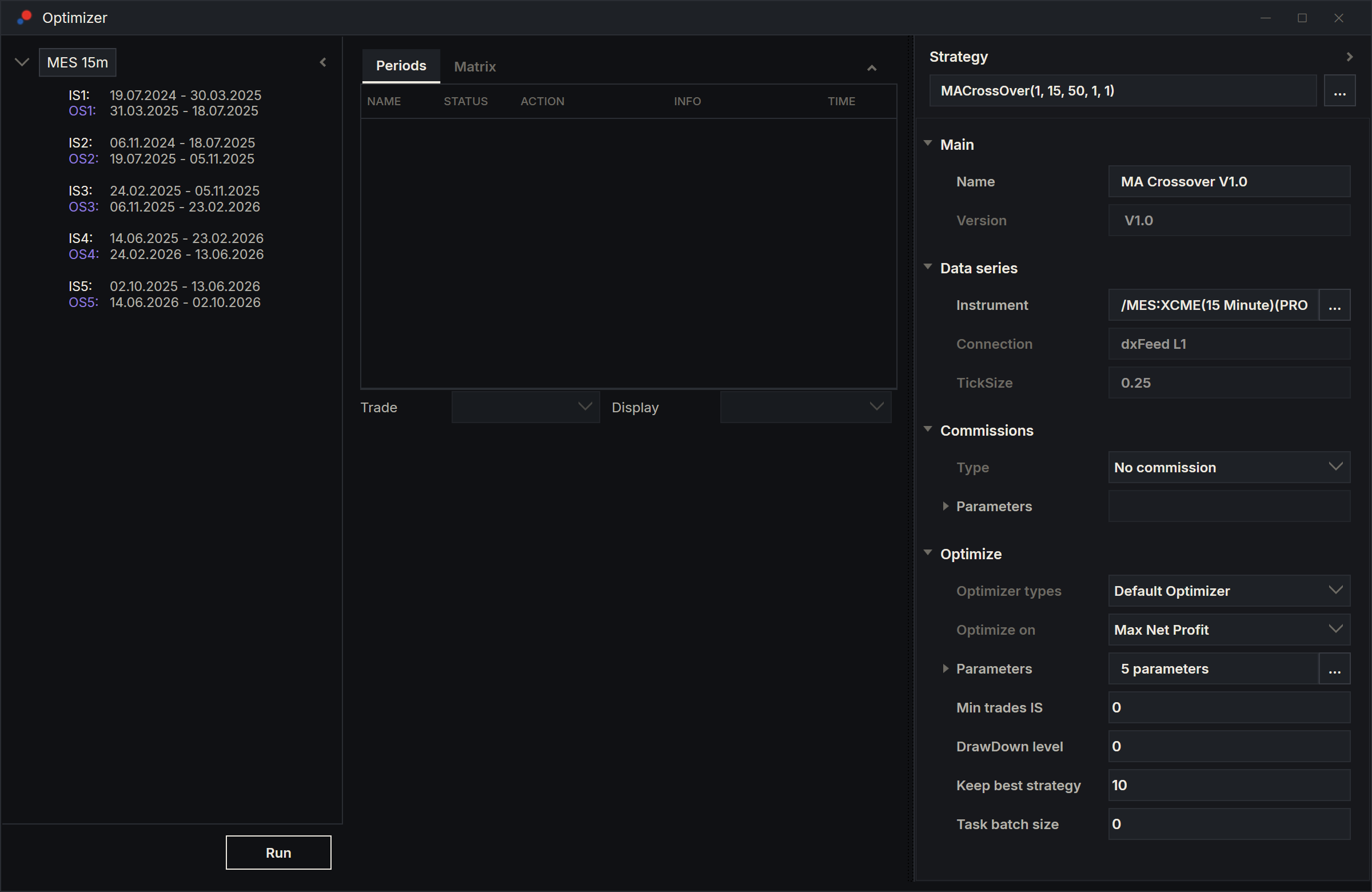
Claude prepares, you press Run
Ask Claude to set something up and not run it, for example "set up the optimisation but don't run it". Claude fills the window, shows you the setup and stops.
- Check the window. Change anything you like.
- Press Run yourself.
Pressing Run in an Optimizer window Claude opened makes the window yours. From then on:
- Claude will not close it;
- your run takes Continue Out of Sample from Options, even if Claude chose a different setting for that window;
- your run calculates out-of-sample results only for each period's selection, and for other candidates when you click them;
- you keep the results with Save results, as with any of your runs.
See Running an optimisation and, for how Claude's own runs differ, Claude and the Optimizer.
The Backtester works the same way: Claude builds the root and places the strategy, and you press Run when you are ready.
You run, Claude analyses
Claude reads the results of any open window, whoever pressed Run. During a run it reads what exists so far.
When your optimisation has finished, Claude can save its results under a label. The saved run is recorded as yours. Claude does not save a run you stopped part-way; your own Save results still can.
Claude picks up your window
Ask Claude to use a window you set up, for example "run the MES optimisation I just set up". Claude reuses an open Optimizer window that fits the request rather than opening another, and in a Backtester it can add a root to a window you already have open.
Claude reads the setup again just before it runs, in case you changed something. If you and Claude change the same window at the same moment, the last change wins.
While a run is going
Nobody changes a window while it runs:
- Claude cannot change an Optimizer window's setup, periods or selection, run it, save it or close it while a run is going in it, whether you or Claude pressed Run. It can still read it.
- AlgoDesk does not let Claude compile while any Optimizer run is going, because a compile rebuilds every open strategy. Compiling from the toolbar stays your call.
You can stop Claude's optimisation at any time with Stop, or by closing the window. The run ends as cancelled, it is not saved, and Claude is told.
What Claude may close
Claude may close an Optimizer window only when all three are true:
- Claude opened it, and you have not pressed Run in it since;
- nothing is running in it;
- it has no results newer than its last save.
A window Claude prepared and never ran qualifies, and so does a saved run Claude opened for you to look at. If a window has unsaved results, Claude saves them first or asks you.
Claude never closes your windows. It has no way to close a chart or a Backtester at all.
Your clicks are always yours
Messages and questions AlgoDesk shows when you click work as always, even in a window Claude opened. AlgoDesk holds back only the messages that something Claude did would have shown; see What Claude will not do.