Built-in scripts
AlgoDesk comes with five strategies, 33 indicators, four commission scripts and six fitness functions. This page says what each one does and gives its main parameters with their starting values.
The built-in strategies and indicators are listed under Default in the chart's Strategies and Indicators windows and in the Backtester's Select strategy window. Their files are in Documents\AlgoDesk\bin\Custom; see How scripts work. Every update puts them back as they were shipped, so to change one, copy it under a new name first.
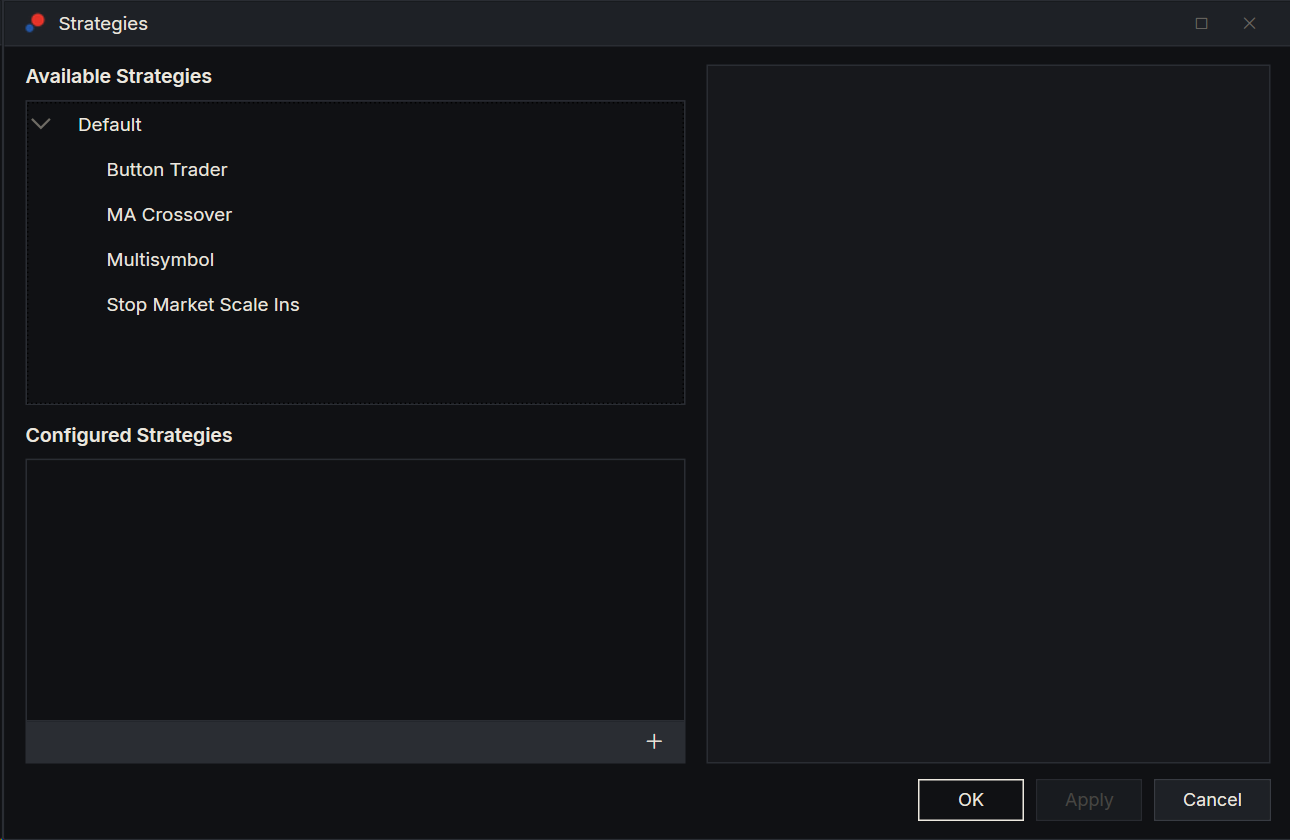
Strategies
| Strategy | What it does | Main parameters |
|---|---|---|
| MA Crossover | Goes long when the fast moving average crosses above the slow one and the bar closes above the fast one, and short on the opposite cross. It enters only when flat and draws an arrow at each signal. Once filled, it places a stop and a profit target a set percentage away from the fill price. | Position Size 1, Period Fast 15 (an EMA of bar highs), Period Slow 50 (an EMA of bar lows), Stop Loss % 1, Profit Target % 1 |
| Button Trader | For trading by hand. While the strategy runs live, it puts Buy, Sell and Close buttons in the chart's Chart Trader panel. Each Buy or Sell trades Position Size: it opens, adds to, reduces or reverses the position. It keeps a stop and a target on the whole position, priced from the fill that opened it. It places no trades in a backtest. | Position Size 1, Stop Loss (ticks) 30, Profit Target (ticks) 60. Set a tick value to 0 to leave out that order. |
| Setup Helper | For trading by hand from levels you choose in advance. While the strategy runs live, it adds a panel to the chart's Chart Trader where you click the entry, stop and target of one order, or of a bracket of one entry below the price and one above it; Finish setup sends the entries, and it then cancels the other entry, places the stop and target and cancels the other exit when one fills. It places no trades in a backtest. See Setup Helper. | None: you make every choice in its panel. |
| Multisymbol | Takes the MA Crossover signals from the chart's instrument, but sends its orders to a second instrument that it loads itself. | The MA Crossover parameters, plus Data Series Type Minute, Data Series Value 5 and Data Series Name ETHUSDT for the second instrument. Williams, off to start, adds a Williams %R filter over the last Williams Period 50 bars: with Williams Threshold 20, a long needs %R below −80 and a short needs it above −20. |
| Stop Market Scale Ins | Long only. When a bar closes above the moving average after closing at or below it, it places a buy stop Entry Offset ticks above that bar's high and cancels it after Keep Order Bars bars if it has not filled. While long, a bar that dips below the average and closes higher than it opened, above the average, adds a buy stop one tick above its high. A close below the average sells everything at market. | Position Size 1, Period 15 (an EMA of bar highs), Entry Offset 1, Keep Order Bars 1. It places no stop loss or profit target. |
Indicators on the price chart
| Indicator | What it shows | Parameters |
|---|---|---|
| Adaptive HMA | A Hull moving average whose length follows the market's dominant cycle, measured on every bar. | Min Cycle 10, Max Cycle 48, PreSmooth WMA 4, Length Multiplier (k) 1 |
| Bollinger Bands | A simple moving average with a band above and below it, a number of standard deviations away. | Period 14, St Dev Mult 1 |
| EMA | Exponential moving average. | Period 14 |
| HMA | Hull moving average. | Period 14 |
| Keltner Channel | A simple moving average of the typical price, with bands set by the average bar range. | Period 10, Offset Multiplier 1 |
| MAX | The highest value of the last Period bars. | Period 14 |
| MIN | The lowest value of the last Period bars. | Period 14 |
| Parabolic SAR | Stop-and-reverse points that trail the trend and flip sides when price crosses them. | Acceleration 0.02, Acceleration Step 0.02, Acceleration Max 0.2 |
| SMA | Simple moving average. | Period 14 |
| Swing | The latest swing high and swing low: a high or low that the Strength bars on each side of it do not go beyond. | Strength 5 |
| TEMA | Triple exponential moving average. | Period 14 |
| TMA | Triangular moving average: a moving average of a moving average. | Period 14 |
| Typical | Each bar's typical price: high plus low plus close, divided by 3. | None |
| VWAP | Volume-weighted average price, starting again each day. | None |
| VWMA | Volume-weighted moving average. | Period 14 |
| WMA | Weighted moving average, in which recent bars count for more. | Period 14 |
| Zigzag | Lines joining swing highs and lows. A new swing starts once price turns by the deviation: a number of points, a percentage, or a multiple of the ATR. | Deviation Type Point, Deviation Value 8, ATR Period 14, ATR Multiplier 1.5, Use HighLow on. Size, Volume and Number label each swing; all are off. |
Indicators in a pane of their own
| Indicator | What it shows | Parameters |
|---|---|---|
| ADX Suit | The directional movement system. View set to TrueValues shows the true range and the +DM and −DM moves; Indexes shows DI+, DI− and ADX. | Period 14, View TrueValues |
| ATR | Average true range, as bars: yellow when the close is up, red when it is down, grey when unchanged. | Period 14 |
| ATR Percent | The ATR, and the ATR as a percentage of the close times Multiplier. | Period 14, Multiplier 1 |
| CCI | Commodity channel index, with lines at +200, −200 and 0. | Period 14 |
| HMA Cycle Oscillator | A sine and a lead sine taken from the market's dominant cycle. When they cross, a window opens for about half a cycle, shown green for up and red for down. | Min Cycle 10, Max Cycle 48, PreSmooth WMA 4, Entry Window Fraction 0.5, which does not change what is drawn |
| Leader | A MACD-style line in which each average is corrected by an average of the price's distance from it. | Fast 12, Slow 26 |
| MACD | The fast EMA minus the slow EMA, its average, and the difference between them as bars, green above zero and red below. | Period Fast 12, Period Slow 26, Period Smooth 9 |
| Momentum | The value now minus the value Period bars ago. | Period 14 |
| ROC | Rate of change: the percentage change over Period bars. | Period 14 |
| RSI | Relative strength index, with AvRSI, an EMA of it over Smooth bars. | Period 14, Smooth 3 |
| Standard Deviation | The standard deviation of the last Period values. | Period 14 |
| Stochastic RSI | Where the RSI sits between its lowest and highest of the last Period bars, from 0 to 1, with lines at 0.2 and 0.8. | Period 14 |
| Stochastics | The K and D lines, with lines at Threshold and at 100 minus Threshold. | Period K 14, Period D 7, Smooth 3, Threshold 20 |
| Volume | Volume bars: green when the bar closed up, red when it closed down. | None |
| Volume EMA | An EMA of volume: red when volume is at or above the bar before, green when it is below. | Period 14 |
Indicator in a window of its own
| Indicator | What it shows | Parameters |
|---|---|---|
| Aggressor Speed | How many contracts aggressive buyers and aggressive sellers traded in the last minute, live only. It draws nothing on the chart: it puts an Aggressor Speed button in the Chart Trader panel, which opens a window with a Buyers dial and a Sellers dial on one scale, which only grows while the window is open. The Delta bar under them is buyers minus sellers: it grows left when buyers lead and right when sellers do. The minute runs on this computer's clock, so the dials drop to zero when trading stops. It needs a connection that says which side started each trade: dxFeed or Bybit (see Reacting to each trade). | None |
Commissions
Choose a commission under Commissions in a strategy's settings. See Commissions.
| Commission | What it charges | Parameters |
|---|---|---|
| No commission | Nothing. Every new strategy starts with it. | None |
| Crypto Futures | A percentage of the traded value, once on entry and once on exit. | Futures % 0.05 |
| Crypto Spot | The same, for spot trading. | Spot % 0.1 |
| Futures NinjaTrader | NinjaTrader's all-in rate for a Lifetime licence, per contract and per side, looked up by the contract's symbol. | Rate mode Table, Manual rate per contract per side $ 0.64 |
| Stocks Per Share | An amount per share on each order, between a minimum and a maximum, plus slippage per share. | Per share $ 0.005, Minimum per order $ 1.00, Maximum % of trade value 1.0, Slippage per share $ 0.01 |
Fitness functions
Choose one in Optimize on in the Optimizer. The Optimizer keeps the runs with the best score. See Fitness functions.
| Fitness function | The best run has |
|---|---|
| Max Net Profit | The highest net profit. |
| Max Profit Factor | The highest profit factor. |
| Max Sharpe | The highest Sharpe ratio. |
| Max Sortino | The highest Sortino ratio. |
| Min Draw Down | The smallest drawdown: the Max Open Drawdown, or the Max Drawdown where that is blank. A run with no trades comes last. |
| Min Draw Down Days | The fewest days in its longest drawdown. A run with no trades comes last. |
The figures behind these scores are explained in Backtest results.