Bybit
Bybit is a crypto exchange. A Bybit connection gives you its spot pairs and its USDT perpetual contracts: prices and history with no key at all, and trading on your own Bybit account once you add an API key.
Do you need an API key?
| You want to | API key |
|---|---|
| Chart prices, load history, watch the order book, paper-trade on the Local paper account | Not needed. Leave API Key and API Secret empty. |
| See your balances and positions, and place orders on your Bybit account | Needed. |
Create an API key
Create the key in your account on Bybit's website, under API management. What AlgoDesk does with it decides the permissions it needs:
- It reads your wallet balance, your positions and your open orders.
- It places, changes and cancels orders on spot pairs and on USDT perpetuals, and changes leverage.
- It never moves or withdraws funds.
So give the key read and write access with trading permission for spot and for derivatives (orders and positions). Leave withdrawal and transfer permissions off. A read-only key lets AlgoDesk connect and show your balances, but Bybit refuses its orders.
AlgoDesk reads the balance of your Unified Trading Account.
Settings
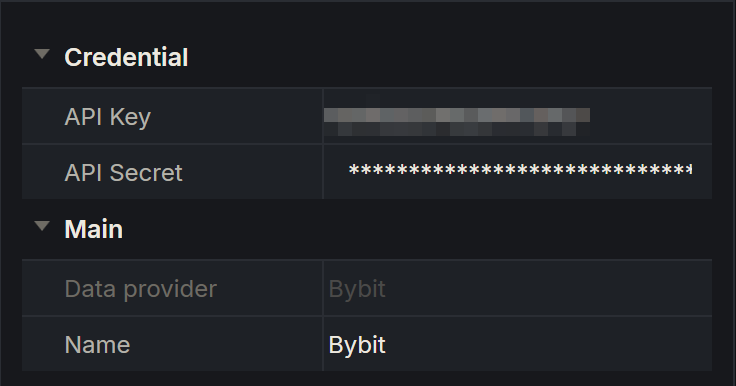
Add a Bybit connection as described in Setting up a connection. Its settings are:
| Setting | What to enter |
|---|---|
| API Key | The key from Bybit, or nothing for prices only. |
| API Secret | The secret that goes with the key. It is masked and stored encrypted. |
AlgoDesk connects to Bybit's live exchange only; there is no test exchange to choose.
The Windows clock
Every request that uses your key carries the time from your Windows clock. Bybit refuses a request whose time is more than 1 second ahead of its own, or more than 20 seconds behind it.
If Bybit refuses your key because of the time, set the Windows clock right. See Keep the Windows clock right.
Real money and practice
With an API key, a Bybit connection gives you a Broker account: orders on it are real and cost real money. Every Bybit connection also has a Local paper account, for practice inside AlgoDesk against Bybit's live prices; its orders never reach Bybit. See Orders, positions and accounts.
What Bybit gives you
| What | Details |
|---|---|
| Instruments | Two types: SPOT for spot pairs and FUTURE for Bybit's linear contracts, the USDT perpetuals such as BTCUSDT. AlgoDesk lists every instrument Bybit is trading; type part of the symbol to filter. |
| History | Bars of 1, 3, 5, 15 and 30 minutes, 1, 2, 4, 6 and 12 hours, 1 day, 1 week and 1 month. |
| Live prices and depth | Live trades for charts, and the order book for the Book Trader. |
| Orders | On spot pairs and USDT perpetuals, from charts, the Book Trader and strategies. |
| Your account | Balances, your USDT perpetual positions, and the orders AlgoDesk placed. |
AlgoDesk shows and manages only the orders it placed itself. Orders you place on Bybit's website or app do not appear on the Orders tab, and AlgoDesk never changes or cancels them.
The Default lists
When a Bybit connection connects, AlgoDesk makes sure it has two instrument lists named Default: one of type SPOT and one of type FUTURE. Each holds whichever of these symbols Bybit lists for that type:
BTCUSDT, ETHUSDT, BNBUSDT, ATOMUSDT, DASHUSDT, SOLUSDT, LYCUSDT, TRXUSDT, DOGEUSDT.
So a new Bybit connection can chart these straight away, without adding instruments first. AlgoDesk checks the lists on every connect and adds back any of these symbols that are missing. You can rename a Default list: it stays the Default list, and the next connect does not make another. See Instrument lists.
Balances on the Assets tab
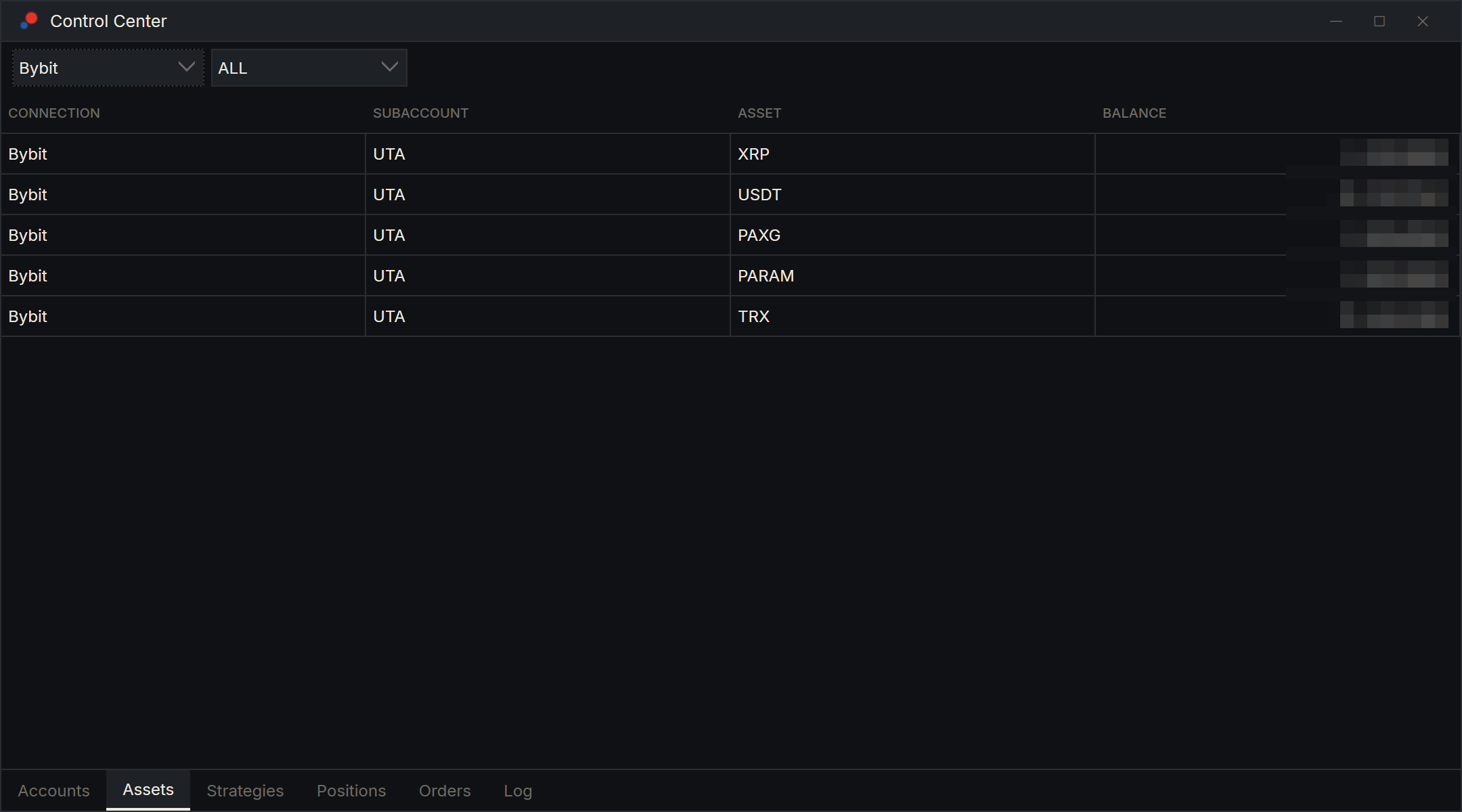
With an API key, the Assets tab of the Control Center shows one row per coin in your Bybit account:
| Column | What it shows |
|---|---|
| Connection | The connection's name. |
| SubAccount | UTA, your Unified Trading Account. |
| Asset | The coin, such as USDT or BTC. |
| Balance | The coin's wallet balance. |
The rows update as Bybit reports changes. The two lists at the top of the tab filter by connection and by sub-account.
Messages
If the connection fails, a message box titled with the connection's name says why.
| Message | What to do |
|---|---|
| "Bybit is not reachable: …" | AlgoDesk could not reach Bybit at all. Check your internet connection, firewall or proxy. |
| "Bybit did not answer within 30 s" | Bybit did not answer in time. Try again in a moment. |
| "Bybit rejected the API key: …" | Bybit refused the key. Check the key and secret, that the key is from your live Bybit account and has not been deleted or restricted, and that your Windows clock is right. The end of the message is Bybit's own reason. |
When the line drops
AlgoDesk checks Bybit's streams every 20 seconds. If one stops answering, it reconnects by itself: after 1 second, then waiting twice as long each time, up to once a minute, for as long as it takes. See Connection status and reconnecting.