dxFeed
dxFeed provides market data: prices, history and market depth for US stocks and ETFs, CME Group futures, options, indices and crypto. It does not take orders, so to practise trading on dxFeed prices you use the connection's Local paper account.
dxFeed is coming soon. It is not yet open to every AlgoDesk user, and the Connections window lists it as dxFeed (coming soon). This page describes the connection as it works once it is open to you.
What you can find and chart depends on your dxFeed subscription.
Settings
Add a dxFeed connection as described in Setting up a connection. Its settings are:
| Setting | What to enter |
|---|---|
| User name | Your dxFeed user name. |
| Password | Your dxFeed password. It is masked and stored encrypted. |
You do not need an API key: AlgoDesk has its own.
When you turn the connection on, AlgoDesk signs in to dxFeed with your user name and password. The live price stream opens when you first open a chart or a Book Trader on it. The Log tab of the Control Center then lists what your login includes: "dxFeed feeds on this login: …".
Instrument types
dxFeed sorts its instruments into seven types. In the Instruments window, choose the type, type part of the symbol and choose Find.
| Type | What it holds | Example |
|---|---|---|
| STOCK | US stocks | AAPL. Class shares use a slash: BRK/B. |
| ETF | US exchange-traded funds | SPY |
| FUTURE | Single futures contracts | /ESU26:XCME, September 2026 |
| PRODUCT | Continuous futures | /ES:XCME, /MES:XCME |
| OPTION | US equity options and options on futures | .AAPL…, ./ES… |
| INDEX | S&P indices, dxFeed market indicators and crypto indices | $TICK, $BTC/USD:CXDXF |
| FOREX | Crypto pairs from Kraken | XBT/USD:CXKBE (bitcoin is XBT) |
A futures symbol is a slash, the root, then for a single contract the month letter and a two-digit year, then the exchange: XCME for CME, XCBT for CBOT, XNYM for NYMEX, XCEC for COMEX. /ESU26:XCME is the E-mini S&P 500 for September 2026; /MESZ26:XCME is the Micro E-mini for December 2026.
How the search works:
- AlgoDesk finds every symbol of the chosen type that contains what you typed.
ESunder PRODUCT finds/ES:XCME, but also every other product with "ES" in its symbol. - A blank search is not sent, because it would download every instrument of the type.
- At most 2,000 results are shown, the first ones by symbol. If you hit the limit, type more of the symbol.
US stocks and ETFs are asked for by their plain symbol. AlgoDesk does not add an exchange code such as &Q (which would mean Nasdaq trades only), so a stock chart shows the trades your dxFeed plan includes from every US venue.
See Finding and adding instruments.
Continuous and single contracts
A single contract (FUTURE) trades for a few months and then expires. Its history covers only its own life.
A continuous future (PRODUCT) strings the contracts together: when one nears expiry, the series moves on to the next. Use it when you want history longer than one contract, for example to backtest over several years. dxFeed decides when the series moves to the next contract.
AlgoDesk shows a continuous future exactly as dxFeed sends it. Older prices are not adjusted, so at each roll the chart can jump by the difference between the old and the new contract. Indicators and backtests see that jump as a real move, and a position held across it books it as profit or loss.
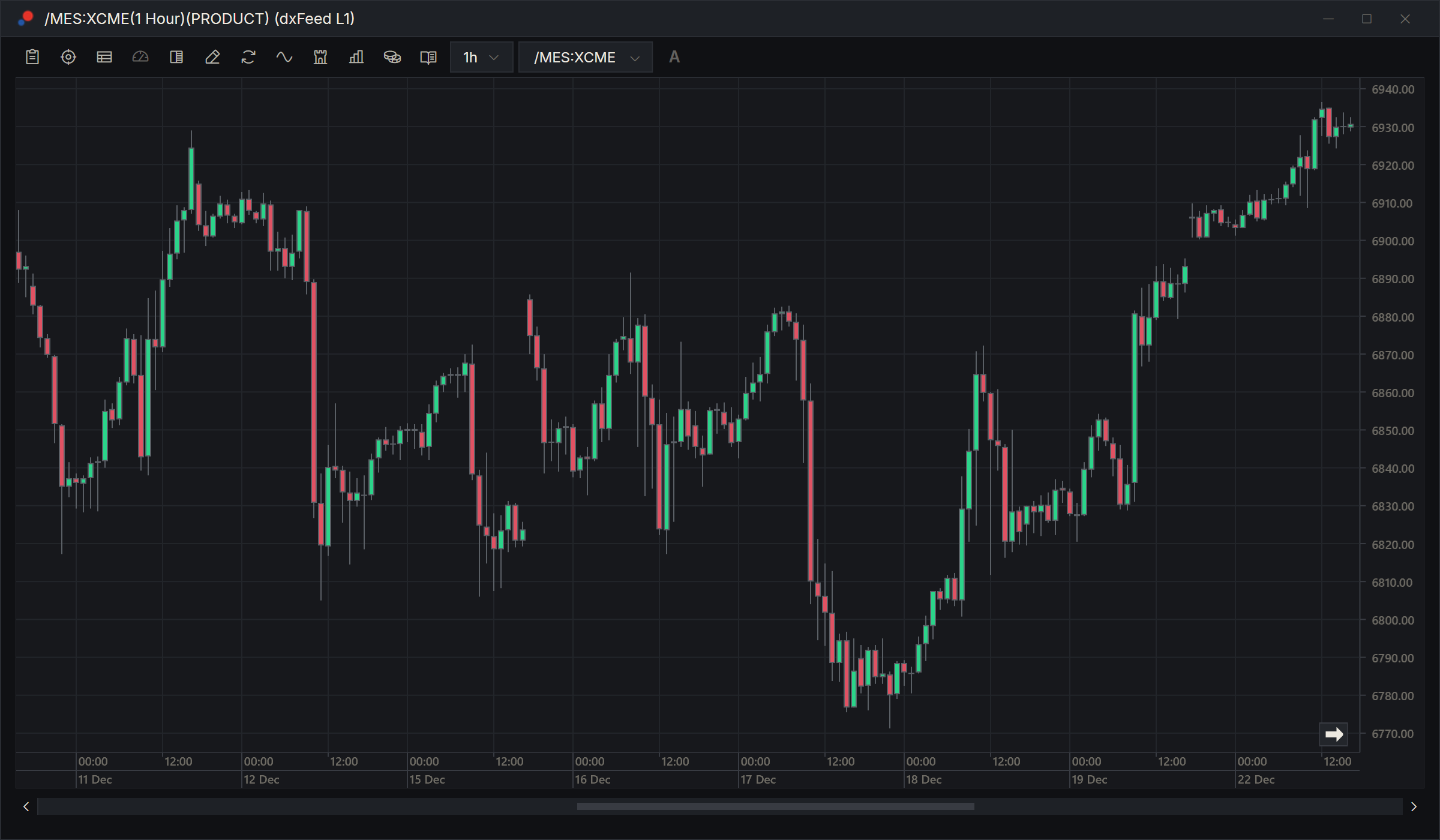
The contract size of a continuous future is taken from its nearest single contract.
History
dxFeed serves bars of 1 second; 1, 3, 5, 15 and 30 minutes; 1, 2, 4, 6 and 12 hours; and 1 day, 1 week, 1 month and 1 year.
How far back AlgoDesk asks:
| Bars | How far back |
|---|---|
| Seconds | 750 days, about two years |
| Minutes and hours | 3,650 days, about ten years |
| Days, weeks, months, years | Everything dxFeed has |
What dxFeed actually has varies by market and by symbol. A chart set to load more than that simply starts later.
Daily bars of options follow dxFeed's own convention: the bar's Close is the day's settlement price, not the last trade. On a day with no trades the bar has no Open, High or Low, and AlgoDesk draws it as one flat dash at the settlement, with no volume. On a day that traded, the settlement can fall outside the traded range; the bar is then stretched to reach it, so the close is always inside its own bar. The listing day, which carries a zero and nothing else, is not drawn.
When dxFeed is busy, a history request can take a while. If dxFeed has not started answering after 30 seconds, the chart, the Backtester or the Optimizer shows:
- "dxFeed is responding slowly (high load)"
- "Waiting up to 5 minutes: 4:21 left", counting down.
AlgoDesk waits up to five minutes for dxFeed to start answering before it gives up on that request.
See Historical data.
Market depth
The Book Trader shows dxFeed's order book if your plan includes Level 2 (full order depth) for that market. dxFeed sends no error when it does not. After 10 seconds without a book, the Book Trader says "No market depth received from dxFeed for this instrument. Your plan may not include Level 2 for this market.", with your connection's name in place of dxFeed.
Messages
If the connection fails, one message box titled with the connection's name says why.
| Message | What it means |
|---|---|
| "Connection could not be established. Please check your credentials" | User name or Password is empty. |
| "Connection could not be established. INVALID_CREDENTIALS" | dxFeed does not recognise the user name and password. |
| "Connection could not be established. NO_ACTIVE_SUBSCRIPTIONS" | The login is right, but it has no active dxFeed subscription. |
| "dxFeed refused the token request (401 Unauthorized). …" | dxFeed refused the sign-in. Check the user name and password; the end of the message is dxFeed's own reason. |
| "dxFeed did not answer the token request within …" | dxFeed did not answer in 30 seconds. Check your internet connection and try again. |
| "dxFeed endpoint closed" | The live price stream was closed and will not come back by itself. The connection turns off; turn it on again. |
The word after "Connection could not be established." is dxFeed's own reason code, so you may see others.
When the line drops
AlgoDesk checks the live line all the time. When it has been silent for 10 seconds, the connection counts as lost and dxFeed's software reconnects by itself, picking up the same instruments. See Connection status and reconnecting.